Understanding WordPress Maintenance: Packages, Plans, and Costs
Understand WordPress maintenance packages: services, benefits, costs, and how to create your own. Boost site performance and security today!

25+ years in digital marketing | StoryBrand Certified Guide | HubSpot Platinum Partner | Author of 'Building a Business That Lasts'
Why WordPress Maintenance Packages Matter
In websites, keeping everything running smoothly can feel like a full-time job. A WordPress maintenance package simplifies this by managing all the technical details for you. But what exactly does it cover, and is it worth the investment?
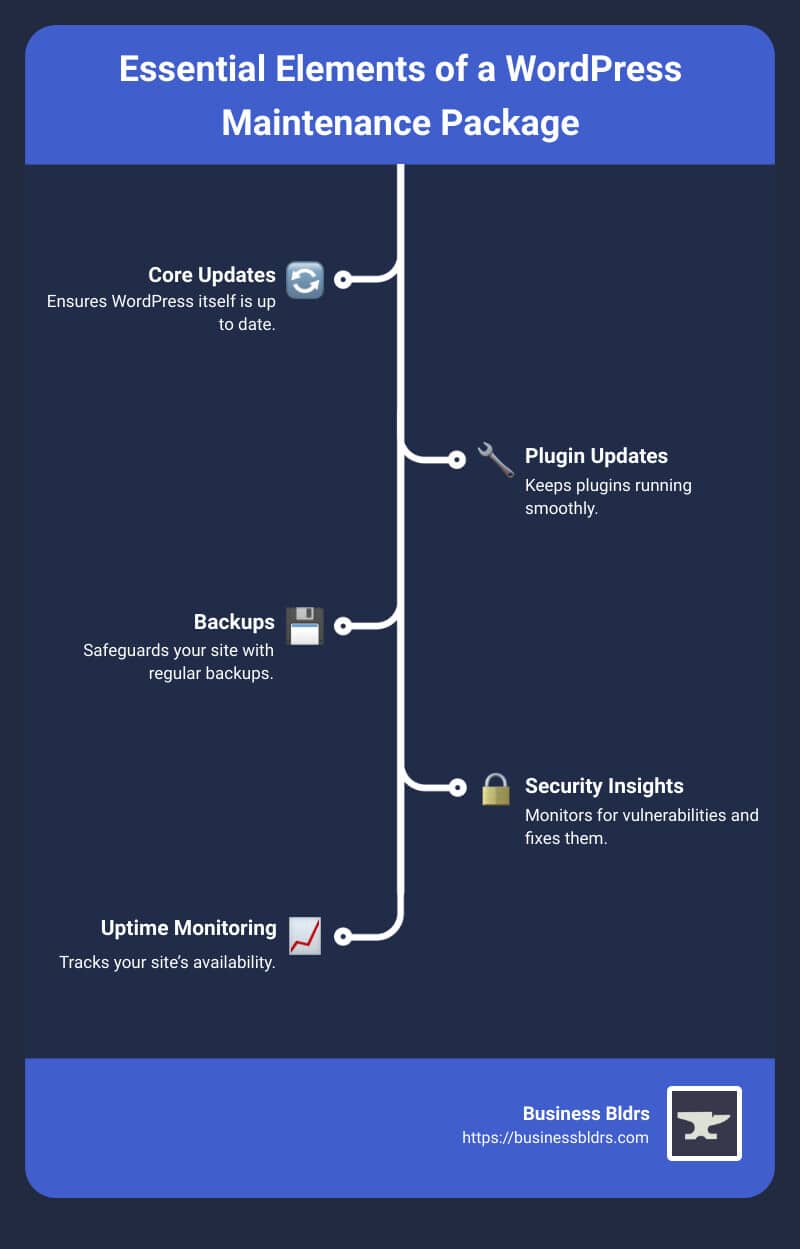
Here's a quick breakdown of what a WordPress maintenance package typically includes:
- Core Updates: Ensures WordPress itself is up to date.
- Plugin Updates: Keeps plugins running smoothly.
- Backups: Safeguards your site with regular backups.
- Security Insights: Monitors for vulnerabilities and fixes them.
- Uptime Monitoring: Tracks your site’s availability.
- Support: Provides help when you need it.
At Business Bldrs, we understand the importance of a well-maintained website. Unplanned outages, security breaches, and outdated content can all undermine your online presence. That's where a good WordPress maintenance package comes in—ensuring your site is always at its best so you can focus on growing your business.
Did you know that 93% of web design professionals find new clients through referrals? A reliable maintenance plan not only keeps your site in top shape but also strengthens client relationships, opening doors for more projects and referrals.

What is a WordPress Maintenance Package?
A WordPress maintenance package is a comprehensive service designed to keep your WordPress site running smoothly, securely, and efficiently. It covers a range of essential tasks that ensure your website remains up-to-date and protected from potential threats.
Services Included
1. Plugin Updates
Plugins add functionality to your WordPress site, but they need regular updates to stay compatible with the latest WordPress version and other plugins. Outdated plugins can cause conflicts or security vulnerabilities.
2. Backups
Regular backups are crucial. They provide a safety net in case something goes wrong. Imagine your site crashes or gets hacked—having a recent backup means you can quickly restore it to its previous state.
3. Security Insights
Security is a major concern for any website. A maintenance package usually includes security monitoring and malware removal. According to Forbes, keeping your site updated and monitored helps mitigate risks significantly.
4. Migrations
Moving your site from one host to another? A maintenance package often includes migration services to ensure a smooth transition without any downtime.
5. Support
Technical issues can arise at any time. Having 24/7 support ensures that any problems are addressed promptly. This can include troubleshooting, fixing bugs, or answering questions about your site.
6. Content Updates
Keeping your content fresh is vital for SEO and user engagement. Maintenance packages often include services to update or add new content, ensuring your site remains relevant and engaging.
Why You Need It
Unplanned outages, security breaches, and outdated content can all undermine your online presence. That's where a good WordPress maintenance package comes in—ensuring your site is always at its best so you can focus on growing your business.
Did you know that 93% of web design professionals find new clients through referrals? A reliable maintenance plan not only keeps your site in top shape but also strengthens client relationships, opening doors for more projects and referrals.

Benefits of a WordPress Maintenance Package
A WordPress maintenance package offers numerous benefits that can transform how you manage and grow your online presence. Let’s dive into the key advantages:
Recurring Revenue
One of the biggest perks of offering maintenance packages is recurring revenue. According to research, 44% of web designers feel they don’t charge enough for their services. A maintenance plan can help bridge that gap by providing a steady, reliable income stream. This recurring revenue acts like a safety net, ensuring you have consistent cash flow even during slower months.
Time-Saving
Maintenance packages save you time by bundling services together. Instead of creating new proposals and invoices for each client, you can offer pre-defined packages. This reduces administrative tasks and allows you to focus more on your clients. For example, having services like plugin updates, backups, and security monitoring already included in your package means you don’t have to handle these tasks individually.
Client Relationships
Strong client relationships are crucial for any business. Offering a WordPress maintenance package helps build trust and a sense of reliability. Clients know that if anything goes wrong, you have their back. Charlotte Brown from Toast Support highlights this well:
“Not maintaining your website is like neglecting to service your car; everything seems fine until small, overlooked issues accumulate, leading to being stranded at the roadside and expensive repairs.”
Reliability
A well-maintained website is a reliable website. Regular updates and security checks ensure your site runs smoothly and securely. This reliability helps you avoid unplanned outages and security breaches, which can harm your business reputation. Think of it as regular servicing for your car—keeping everything in top shape to avoid unexpected breakdowns.
ROI
Investing in a WordPress maintenance package can significantly increase your return on investment (ROI). Regular updates, security checks, and optimizations ensure your website performs well, which in turn can lead to higher traffic and conversions. As Charlotte Brown noted, a comprehensive support and maintenance plan helps maximize your ROI in terms of website longevity and reliability.
By offering these benefits, a WordPress maintenance package not only ensures your website is always in top condition but also strengthens your business in multiple ways. Next, let's explore the key services included in these packages.
Key Services in WordPress Maintenance Packages
A WordPress maintenance package includes a variety of services that keep your website running smoothly. Here’s a breakdown of the key services you can expect:
Plugin Updates
Regular plugin updates are critical to ensure your site remains secure and functional. Outdated plugins can be vulnerable to attacks and may cause compatibility issues. For example, updating plugins like Gravity Forms can prevent potential breaches and improve site performance.
Backups
Daily backups are essential for data security. If something goes wrong, a backup allows you to restore your site to its previous state. Many plans offer cloud backups, with some providing up to four backups daily. This ensures you always have a recent copy of your site.
Security Monitoring
24/7 security monitoring helps detect and prevent malicious activities. Services like malware removal and security optimization ensure your site is protected against threats. According to Karen Johnson, having robust security measures in place gives site owners peace of mind.
Uptime Monitoring
Uptime monitoring ensures your site is always accessible. If your site goes down, you’re instantly notified so you can address the issue promptly. This minimizes downtime and potential revenue loss.
Migrations
Site migrations are often included at no extra cost. Whether you’re starting a new maintenance plan or switching providers, seamless migrations ensure your site is transferred without any hiccups.
Support
24/7 support is invaluable for troubleshooting and resolving issues quickly. Many plans offer unlimited website edits and emergency support, ensuring help is available whenever you need it.
Audits
Regular audits help identify and fix issues before they become problems. These audits can cover everything from security vulnerabilities to performance bottlenecks, keeping your site in optimal condition.
SEO
SEO services included in maintenance packages can help improve your site's search engine ranking. This might involve keyword optimization, content updates, and technical SEO improvements. Higher search rankings can lead to increased traffic and conversions.
SSL Certificates
SSL certificates are essential for securing data transmitted between your website and its visitors. They also boost your site’s credibility and can positively impact your SEO rankings.
Content Updates
Content updates ensure your site remains relevant and engaging. This could involve updating blog posts, adding new pages, or refreshing existing content. Regular updates keep your audience informed and engaged.
By including these comprehensive services, a WordPress maintenance package ensures your website remains secure, up-to-date, and performing at its best. Next, let’s look at how to create your own WordPress maintenance package tailored to your needs.
How to Create Your Own WordPress Maintenance Package
Creating a WordPress maintenance package can seem daunting, but breaking it down into steps makes it manageable. Here’s how you can do it:
Service Selection
Start by identifying the services you want to offer. Ask yourself:
- What services are my clients requesting?
- What tasks do I frequently bill for?
- Which services have been popular in the last six months?
- What services can save my clients time and money while strengthening our relationship?
Popular services to consider:
- WordPress updates
- Plugin updates
- Backups and backup restoration
- Security monitoring
- Uptime monitoring
- Migrations
- Support
- SEO
- Content updates
Packaging Services
Once you’ve identified the services, package them into plans. You might offer:
- Basic Plan: Essential services like updates, backups, and security monitoring.
- Advanced Plan: Everything in the Basic Plan plus additional services like SEO and content updates.
- Premium Plan: All Advanced Plan services plus extras like strategy consulting and social media marketing.
Pricing Strategies
Set your prices based on:
- The services included in each plan.
- The demand for each service. For example, if plugin updates and security audits are highly requested, consider charging more for these.
- Your average rate and market rates. Look at what others charge to ensure your prices are competitive.
Client Needs
Tailor your packages to meet client needs:
- Customization: Offer customizable plans for clients with specific requirements.
- Flexibility: Provide options for clients to add or remove services as needed.
- Education: Explain the benefits of each service to help clients understand the value.
Automation
Automate tasks where possible to save time:
- Use tools to automate backups, updates, and security checks.
- Verify: Always double-check automated tasks to ensure they haven’t caused issues. Lori Berkowitz from BeeDragon Web Services advises, “Find a way to automate as many of the maintenance services as possible, but always verify that no problems were caused by tasks that were automated.”
By carefully selecting, packaging, and pricing your services, and leveraging automation, you can create a WordPress maintenance package that meets your clients’ needs and boosts your recurring revenue. Next, let's explore some popular WordPress maintenance package examples to get you started.
Popular WordPress Maintenance Package Examples
When it comes to WordPress maintenance packages, there are different tiers to fit various needs and budgets. Here are some common examples:
Basic Plan
A basic maintenance plan usually covers the essentials to keep a WordPress site running smoothly. Services in this plan often include:
- WordPress Core Updates: Regular updates to the WordPress core to ensure security and performance.
- Plugin Updates: Keeping plugins up to date to avoid compatibility issues.
- Backups: Daily or weekly backups to secure your data.
- SSL Certification: Ensuring the site is secure with SSL certificates.
- Uptime Monitoring: Watching the site to make sure it's always available.
Pricing Example: A basic plan might cost around $79 per month.
Advanced Plan
The next level up is the advanced plan, which includes everything in the basic plan plus additional services. These might be:
- Theme Updates: Updating the site's theme to the latest version.
- SEO Optimization: Basic SEO services to improve search engine rankings.
- Security Monitoring: Extra layers of security checks and monitoring.
- Unlimited Website Edits: Making changes to content, banners, and headers as needed.
Pricing Example: An advanced plan could be priced at $159 per month.
Premium Plan
For those who need comprehensive care, the premium plan offers all the services from the basic and advanced plans, plus more specialized features:
- Speed Optimization: Enhancing the site's speed for better performance.
- Mobile & Tablet Optimization: Ensuring the site works well on all devices.
- Complete Malware Removal: Regular scans and removal of any malware.
- Custom Functionality Testing: Safe updates and testing for custom-coded sites.
Pricing Example: A premium plan may cost around $219 per month.
Service Tiers
Service tiers allow clients to choose the level of service that best fits their needs. Here's a quick overview:
| Plan | Monthly Cost | Key Services Included |
|---|---|---|
| Basic | $79 | Core Updates, Plugin Updates, Backups, SSL, Uptime Monitoring |
| Advanced | $159 | All Basic Services + Theme Updates, SEO, Security Monitoring |
| Premium | $219 | All Advanced Services + Speed Optimization, Malware Removal |
Karen Johnson, a satisfied client, shares, "The team has helped me with many questions related to WooCommerce/WordPress. Their technical support and sales support is really top notch, knowledgeable, friendly, and professional."
These examples should give you a good idea of how to structure your own WordPress maintenance packages. Tailor the services and pricing to fit your clients' needs and your business goals.
Next, let's dive into the costs associated with WordPress maintenance packages.
Costs of WordPress Maintenance Packages
Understanding the costs of a WordPress maintenance package is crucial for both service providers and clients. Let's break down the different factors that influence the pricing.
Monthly Costs
The monthly cost for a WordPress maintenance package can vary widely. Basic plans typically start around $66 to $79 per month. These usually include essential services like weekly updates, emergency support, and daily backups.
For more comprehensive plans, the costs can go up to $183 to $373 per month. These advanced packages often cover additional services such as security optimization, speed optimization, and 24/7 custom code monitoring.
Yearly Costs
When you look at the yearly costs, these packages often come with discounts for long-term commitments. For example, if a monthly plan costs $79, a yearly commitment might reduce the cost slightly, saving you money in the long run.
Factors Affecting Cost
Several factors can affect the cost of a WordPress maintenance package:
- Site Size: Larger sites with more pages and complex structures require more time and resources to maintain.
- Plugin Complexity: Websites using numerous or complex plugins will need more frequent updates and monitoring.
- Customization: Custom-built sites or those requiring unique functionalities will generally cost more to maintain.
- Service Level: The range of services included—such as malware removal, SEO audits, and content updates—can also impact the price.
Site Size
A larger site means more work. For instance, maintaining a site with up to 40 unique pages can cost an additional $5 per month for every 10 extra pages. This is because each unique page requires individual attention during updates and quality assurance checks.
Plugin Complexity
The more plugins you have, the more complex the maintenance becomes. Plugins need regular updates to avoid vulnerabilities. Sites with advanced functionalities like eCommerce or membership systems often incur additional costs ranging from $15 to $30 per month.
By understanding these costs and factors, you can better tailor your WordPress maintenance package to meet both your needs and budget.
Next, let's address some frequently asked questions about WordPress maintenance packages.
Frequently Asked Questions about WordPress Maintenance Packages
What is included in WordPress maintenance?
A WordPress maintenance package typically includes a variety of services to keep your website running smoothly and securely. Here are the key components:
- Plugin Updates: Keeping plugins updated is crucial to avoid vulnerabilities and ensure compatibility with the latest WordPress version.
- Backups: Regular backups are essential. They allow you to restore your site quickly in case of data loss or other issues.
- Security Insights: Monitoring for malicious activities and implementing security measures to protect your site from hackers.
- Migrations: Seamless transfers of your site from one hosting environment to another, ensuring minimal downtime.
- Support: Access to professional help for troubleshooting and resolving any issues that arise.
How much does WordPress maintenance cost?
The cost of a WordPress maintenance package can vary widely based on the services included and the complexity of your website. Here’s a general breakdown:
- Monthly Costs: Basic plans can start as low as $66 per month, while more comprehensive packages can go up to $447 per month.
- Yearly Costs: Annual plans often offer a discount. For example, a package costing $183 per month would be around $2,196 annually.
Factors Affecting Cost: - Site Size: Larger sites with more content and functionality will typically cost more to maintain. - Plugin Complexity: Sites with many or complex plugins, such as eCommerce or membership sites, may incur additional costs. - Service Level: Higher-tier plans offering more services like speed optimization, malware removal, and unlimited edits will naturally be more expensive.
How do I show my WordPress site under maintenance?
When you need to perform updates or changes, putting your site in maintenance mode is a good practice. Here’s how:
- Maintenance Mode Plugin: Use a plugin like WP Maintenance Mode. It’s easy to set up and customize.
- Customization: Customize your maintenance page to include your branding and a message for your visitors. This keeps them informed and enhances their experience.
By addressing these common questions, you can make informed decisions about maintaining your WordPress site effectively.
Conclusion
We explored the ins and outs of a WordPress maintenance package. We discussed what these packages are, their benefits, and the key services they include. We also covered how to create your own maintenance plan, the costs involved, and answered some of the most frequently asked questions about WordPress maintenance.
At Business Bldrs, we understand the importance of keeping your WordPress site running smoothly. Our maintenance packages are designed to save you time, enhance client relationships, and ensure reliability.
Whether you’re a business owner looking to maintain your site or a developer seeking to offer maintenance services to clients, our website packages provide the perfect solution.
Ready to take the next step? Contact us today to learn more about how our WordPress maintenance packages can benefit you. Let's keep your website in top shape together!
Ready to Grow Your Business?
Put these insights into action with our expert team. We help businesses like yours achieve measurable results.