HubSpot CRM Pricing Explained: Choose the Right Plan for Your Team
Discover the best HubSpot CRM pricing plan for your team. Compare free, starter, professional & enterprise options to find the right fit.

25+ years in digital marketing | StoryBrand Certified Guide | HubSpot Platinum Partner | Author of 'Building a Business That Lasts'
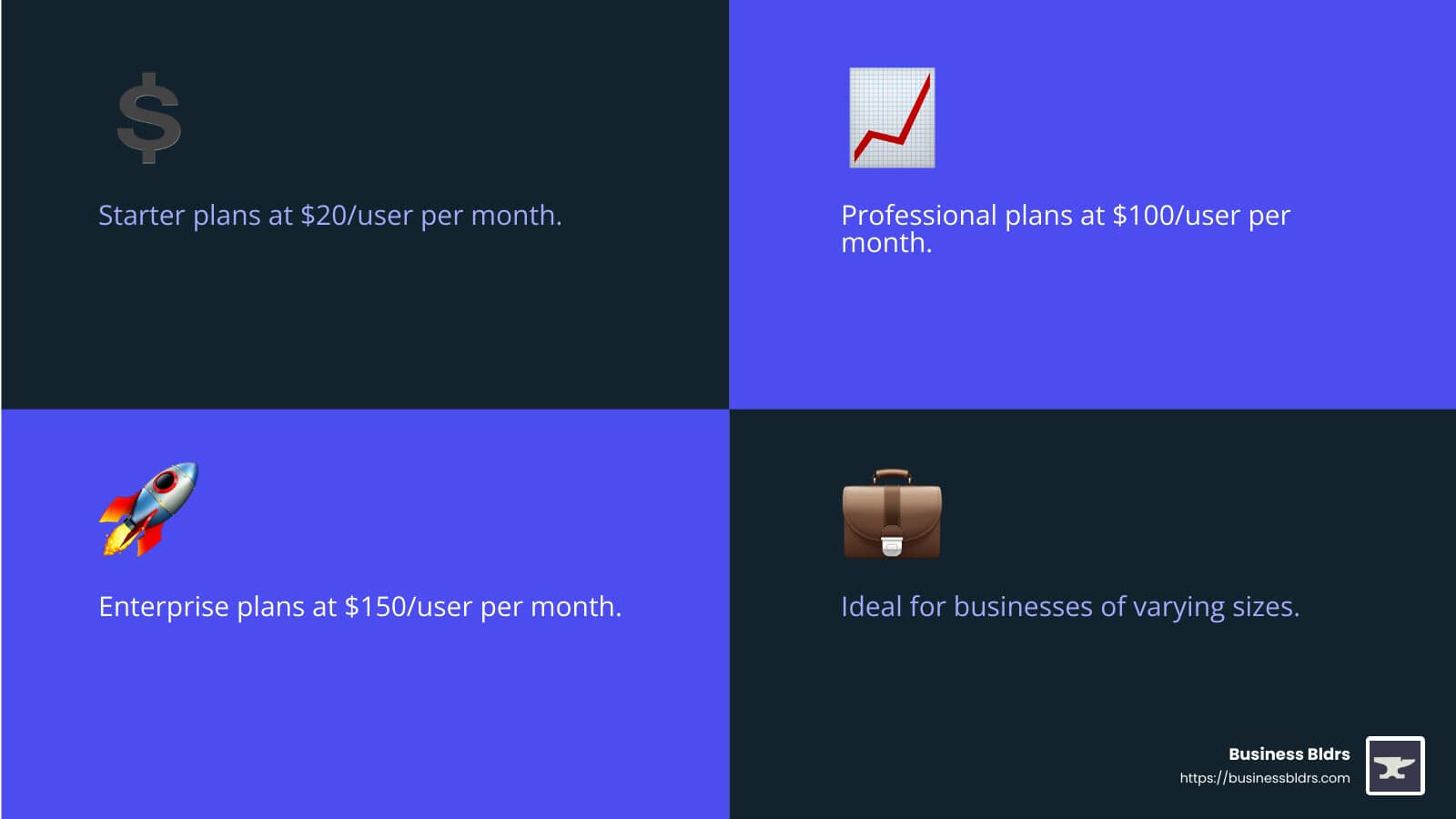
When you’re evaluating hubspot crm pricing, you’re not just looking at numbers but determining the best fit for your business's growth. HubSpot offers various pricing tiers to cater to different needs: - Free Tools: $0 - Starter Plans: $20/user per month - Professional Plans: Starting at $100/user per month - Enterprise Plans: Starting at $150/user per month
Choosing the right HubSpot plan can be essential for efficient workflows and enhancing customer experiences. From startups leveraging free tools to mid-sized businesses needing advanced features, navigating HubSpot’s pricing model can seem daunting. Each plan has unique offerings—determining your exact needs and budget will guide you to the best plan for your team.
At Business Bldrs, we understand the unique challenges small businesses face and aim to offer clarity and guidance in making such crucial decisions.
I'm Jay Owen, CEO of Business Bldrs. With over 25 years of experience and multiple HubSpot certifications, I specialize in helping businesses like yours steer the complexities of hubspot crm pricing to find the perfect fit.

Hubspot crm pricing terms to know: - how much does hubspot crm cost - hubspot crm for small business - hubspot sales pricing
HubSpot CRM Pricing Overview
When evaluating HubSpot CRM pricing, understanding the different tiers and their offerings is crucial. HubSpot provides free tools and paid plans across various hubs: Marketing, Sales, Service, Content, and Operations. Let's break down what each tier offers.
HubSpot Free Tools
HubSpot’s free tools are a great starting point for small businesses or startups. The free CRM plan includes:
- Contact Management: Manage up to 1,000,000 contacts.
- Marketing Features: 2,000 email sends per month, 1 shared inbox, 1 automated action for email.
- Sales Features: 1 deal pipeline, 1 personal meeting scheduler link.
- Service Features: 1 shared inbox, 1 ticket pipeline, up to 3 reporting dashboards.
While the free tools are robust, they are limited in features and users (up to 5 users). This makes them ideal for small teams just starting to organize their customer data.
HubSpot Starter Plans
The Starter plans are priced at $20/user per month. These plans build on the free tools and are available for all hubs: Marketing, Sales, Service, Content, and Operations. Here’s what you get:
- Marketing Hub: List segmentation, email automation, and ad management for up to 3 connected accounts.
- Sales Hub: Unlimited email open and click notifications, 2 deal pipelines, and basic sales automation.
- Service Hub: Repeating tasks, email templates, and Slack integration.
- Content Hub: Drag-and-drop editor, mobile optimization, and basic SEO analytics.
- Operations Hub: Basic data management and workflow automation.
The Starter plans are perfect for new or small businesses that need essential CRM features without breaking the bank.
HubSpot Professional Plans
The Professional plans offer advanced features and start at $100/user per month. These plans also come with a one-time onboarding fee. Here’s what each hub includes:
- Marketing Hub: Unlimited email and form automation, phone support, and up to 2,000 marketing contacts.
- Sales Hub: Advanced sales automation, multiple deal pipelines, and custom reporting.
- Service Hub: Help desk automation, customer feedback surveys, and service analytics.
- Content Hub: Customizable website traffic analytics, adaptive testing, and more web pages.
- Operations Hub: Advanced data management, improved workflow automation, and user permissions.
These plans are ideal for medium to large businesses that require more sophisticated tools to manage their operations.
HubSpot Enterprise Plans
Enterprise plans are the most feature-rich and start at $150/user per month. These plans also have higher onboarding fees. Here’s what you get:
- Marketing Hub: Up to 10,000 marketing contacts, advanced segmentation, and hierarchical team management.
- Sales Hub: Conversation intelligence, hierarchical teams, and advanced forecasting.
- Service Hub: Custom objects, field-level permissions, and conversation intelligence.
- Content Hub: Extensive SEO analytics, single sign-on, and up to 10,000 web pages.
- Operations Hub: Comprehensive data management, AI tools, and extensive user permissions.
Enterprise plans are best suited for large businesses with complex needs and a significant customer base.

Choosing the right plan depends on your specific needs and budget. HubSpot’s flexible pricing allows you to start small and scale as your business grows.
Next, we'll dive deeper into the costs and features of each HubSpot hub to help you make an informed decision.
Detailed Breakdown of HubSpot Hubs
Marketing Hub Costs
The Marketing Hub is designed to help you attract and convert leads through various channels like email, social media, and ads. It also comes with powerful tools for workflow automation and AI-driven insights.
Starter Plan: At $20/user per month, the Starter plan offers basic features such as list segmentation, email automation for up to 10 actions, and ad management for up to 3 connected accounts. This plan is great for small teams looking to get started with inbound marketing.
Professional Plan: Priced at $890/month for 3 seats, this plan includes unlimited email and form automation, advanced list segmentation (up to 1,200 active lists), and ad management for up to 5 audiences. It also offers phone support and a one-time onboarding fee of $3,000.
Enterprise Plan: At $3,600/month for 5 seats, the Enterprise plan offers everything in the Professional plan plus advanced features like hierarchical team management, up to 10,000 marketing contacts, and ad management for up to 15 audiences. The onboarding fee is $7,000.
Sales Hub Costs
The Sales Hub focuses on streamlining sales processes, from managing contacts to closing deals. It includes tools for deal pipelines, goal setting, and forecasting.
Starter Plan: For $20/user per month, you get essential features like unlimited email open and click notifications, 2 deal pipelines, and basic sales automation. This plan is ideal for small sales teams.
Professional Plan: Costing $100/user per month, this plan includes advanced sales automation, multiple deal pipelines, and custom reporting. It also features call transcription and a one-time onboarding fee.
Enterprise Plan: At $150/user per month, this plan offers conversation intelligence, hierarchical teams, and advanced forecasting. It's designed for large sales teams with complex needs.
Service Hub Costs
The Service Hub is built to improve customer support through features like support tickets, shared inboxes, and customer portals.
Starter Plan: Starting at $20/user per month, this plan includes basic features like email templates, repeating tasks, and Slack integration. Perfect for small support teams.
Professional Plan: At $100/user per month, you get help desk automation, customer feedback surveys, and service analytics. The onboarding fee is also applicable.
Enterprise Plan: Priced at $150/user per month, this plan offers advanced features like custom objects, field-level permissions, and conversation intelligence. It’s ideal for large support teams handling high volumes of tickets and calls.
Content Hub Costs
The Content Hub focuses on content management, including website management, blogging, and landing pages.
Starter Plan: At $20/user per month, you can manage up to 30 web and landing pages, use AI-powered blog content tools, and maintain a product library for up to 1 million products. This plan is suitable for small teams with basic content needs.
Professional Plan: For $500/month for 3 seats, you get up to 10,000 web or landing pages, customizable website traffic analytics, and A/B testing. The onboarding fee is $2,000.
Enterprise Plan: At $1,500/month for 5 seats, this plan includes features like hosting multiple websites, extensive SEO analytics, and single sign-on. It's designed for large teams with comprehensive content management needs.
Operations Hub Costs
The Operations Hub is all about data management, workflow automation, and integrations.
Starter Plan: Priced at $20/user per month, it offers basic data management and workflow automation. This plan is ideal for small teams needing essential data syncing and automation features.
Professional Plan: At $100/user per month, you get advanced data management, improved workflow automation, and user permissions. The onboarding fee applies here as well.
Enterprise Plan: For $150/user per month, this plan includes comprehensive data management, AI tools, and extensive user permissions. It's perfect for large teams requiring advanced data customization and control.
Choosing the right plan depends on your specific needs and budget. HubSpot’s flexible pricing allows you to start small and scale as your business grows.
Next, we'll dive deeper into the costs and features of each HubSpot hub to help you make an informed decision.
Frequently Asked Questions about HubSpot CRM Pricing
How much is HubSpot CRM?
HubSpot CRM offers a variety of pricing tiers to suit different business needs and budgets.
- Starter Plan: Starts at $20/user per month. This plan includes essential tools for marketing, sales, and customer service.
- Professional Plan: Costs $100/user per month. It offers advanced features like sales automation, custom reporting, and improved customer service tools.
- Enterprise Plan: Priced at $150/user per month. This plan provides the full suite of HubSpot’s features, including hierarchical team management and advanced forecasting.
HubSpot also offers annual billing discounts, which can reduce the monthly cost. For example, the Starter plan can drop to $15/user per month if billed annually.
Is HubSpot CRM free or paid?
HubSpot CRM offers both free and paid plans.
- Free Tools: HubSpot provides a 100% free CRM with no expiration. This includes basic sales, marketing, and customer service tools. You can manage up to 1,000,000 contacts without paying anything.
- Limitations: The free plan has limitations such as only five email templates, five snippets, five documents, and one meeting scheduling link. It’s ideal for small businesses or startups.
- Upgrade Options: As your business grows, you can upgrade to paid plans to access more advanced features and higher user limits.
What is the pricing range for HubSpot?
HubSpot's pricing range varies widely based on the plan and the number of users:
- Starter Plans: Begin at $20/user per month. These plans are great for small teams needing essential CRM tools.
- Professional Plans: Start at $100/user per month. They include advanced features like custom reporting and sales automation.
- Enterprise Plans: Priced at $150/user per month. These plans offer the most comprehensive features, suitable for large teams with complex needs.
User Limits: Different plans have different user limits. For example, the Sales Hub Starter plan includes features for two users, while the Enterprise plan can handle up to 10 users. Additional users can be added at an extra cost.
HubSpot’s flexible pricing allows businesses to start small and scale as they grow, making it a versatile choice for various business sizes and needs.
Next, we'll dive deeper into the costs and features of each HubSpot hub to help you make an informed decision.
Choosing the Right HubSpot Plan for Your Team
Selecting the right HubSpot CRM plan for your team involves understanding your unique needs, budget, and the specific features that will drive your business forward. Here's a breakdown of factors to consider:
Customization
Customization is crucial in making the most out of HubSpot's offerings. Each HubSpot plan allows for different levels of customization:
- Starter Plans: These offer essential tools and basic customization options. Ideal for small teams that need to start with core functionalities.
- Professional Plans: Provide more advanced customization, including custom reporting and sales automation. Great for teams looking to tailor their CRM to specific workflows.
- Enterprise Plans: Offer the highest level of customization, with features like hierarchical team management and advanced forecasting. Suitable for large teams with complex needs.
Feature Needs
Identifying your feature needs is the next step. HubSpot offers a wide range of features across its different hubs:
- Marketing Hub: Includes email marketing, social media management, and lead generation tools. Higher tiers offer AI tools and advanced workflow automation.
- Sales Hub: Focuses on contact management, deal pipelines, and advanced sales automation. Higher plans include goal setting, forecasting, and call transcription.
- Service Hub: Provides support ticketing, shared inboxes, and customer portals. Advanced plans offer ticket routing and AI tools.
- Content Hub: Ideal for managing website content, blogs, and landing pages. Higher tiers include A/B testing and advanced content administration.
- Operations Hub: Specializes in data management and workflow automation. Higher plans offer advanced integrations and user permissions.
Budget Considerations
Your budget plays a significant role in choosing the right plan. HubSpot's pricing varies widely:
- Free Tools: Ideal for small businesses or startups with basic needs. However, the feature set is limited.
- Starter Plans: Begin at $20/user per month, offering a good balance of cost and essential features.
- Professional Plans: Cost $100/user per month, providing advanced tools that justify the higher price.
- Enterprise Plans: Priced at $150/user per month, these plans offer comprehensive features for large teams.
Don't forget to consider annual billing discounts. For instance, the Starter plan can drop to $15/user per month if billed annually.
Bundling Options
HubSpot allows for bundling options to combine different hubs and plans:
- Custom Bundles: You can mix and match plans from different hubs. For example, you might combine the Starter plan of the Marketing Hub with the Enterprise plan of the Sales Hub.
- Marketing+ Option: This includes the marketing and content hubs, plus additional features, offering a more integrated solution.
Choosing the right bundle can help you save money while ensuring you get all the features you need.
By carefully considering customization, feature needs, budget, and bundling options, you can select the HubSpot plan that best fits your team's requirements.
Next, we'll dive deeper into the costs and features of each HubSpot hub to help you make an informed decision.
Conclusion
Choosing the right HubSpot CRM plan can be a transformative decision for your business. It involves understanding your unique needs, budget constraints, and the specific features that will drive your business forward.
Summary
HubSpot offers a variety of plans, from free tools to Starter, Professional, and Enterprise tiers. Each plan is designed to cater to different business sizes and needs, ensuring that you only pay for the features you require.
- Free Tools: Great for small businesses or startups with basic needs.
- Starter Plans: Begin at $20/user per month, offering essential tools for small teams.
- Professional Plans: Cost $100/user per month, providing advanced customization and automation features.
- Enterprise Plans: Priced at $150/user per month, offering comprehensive features for large teams with complex needs.
Importance of Choosing the Right Plan
Selecting the right plan ensures that you get the most value for your investment. Whether you need basic tools or advanced features, choosing the appropriate plan can help you streamline processes, improve customer relationships, and boost overall efficiency.
Mention of Business Bldrs
At Business Bldrs, we understand the unique challenges small businesses face. Our goal is to help you steer these challenges with the right tools and strategies. We recommend exploring various HubSpot CRM pricing options to find one that offers scalability and comprehensive features suitable for your business needs.
Final Thoughts
Implementing a CRM like HubSpot might seem daunting, but the benefits far outweigh the initial effort. From improving customer retention to increasing conversion rates, the right CRM can transform your business operations. Take the time to assess your needs, involve your team in the decision-making process, and choose a plan that aligns with your business goals.
We’re here to help. If you need guidance or a free website review, reach out to us at Business Bldrs.
By following these steps, you’ll be well on your way to selecting the best HubSpot CRM plan for your team.
Ready to Grow Your Business?
Put these insights into action with our expert team. We help businesses like yours achieve measurable results.