Affordable and Effective: The Best Small Business CRMs Compared
Discover the top crm for small business options! Compare features and pricing to find the most affordable and effective CRM for your needs.

25+ years in digital marketing | StoryBrand Certified Guide | HubSpot Platinum Partner | Author of 'Building a Business That Lasts'
Open up Success with the Best CRM for Small Business
CRM for small business is a game-changer, empowering companies to streamline customer interactions and boost efficiency. Whether you're aiming to improve sales, improve marketing efforts, or deliver unparalleled customer service, a CRM can help you achieve these goals. Here's a quick look at the benefits:
- Centralized Customer Information: All client data in one place, leading to better organization.
- Improved Efficiency: Automated workflows save time and reduce errors.
- Improved Customer Experience: Personalized communication and faster response times.
- Data-Driven Insights: Real-time reports for informed decision-making.
- Cost Savings: Reduced operational costs due to streamlined processes.
In today's competitive market, customer relationship management (CRM) software can be a vital asset for small businesses. Gone are the days of juggling spreadsheets and disconnected apps; CRMs centralize everything, from leads to client interactions.
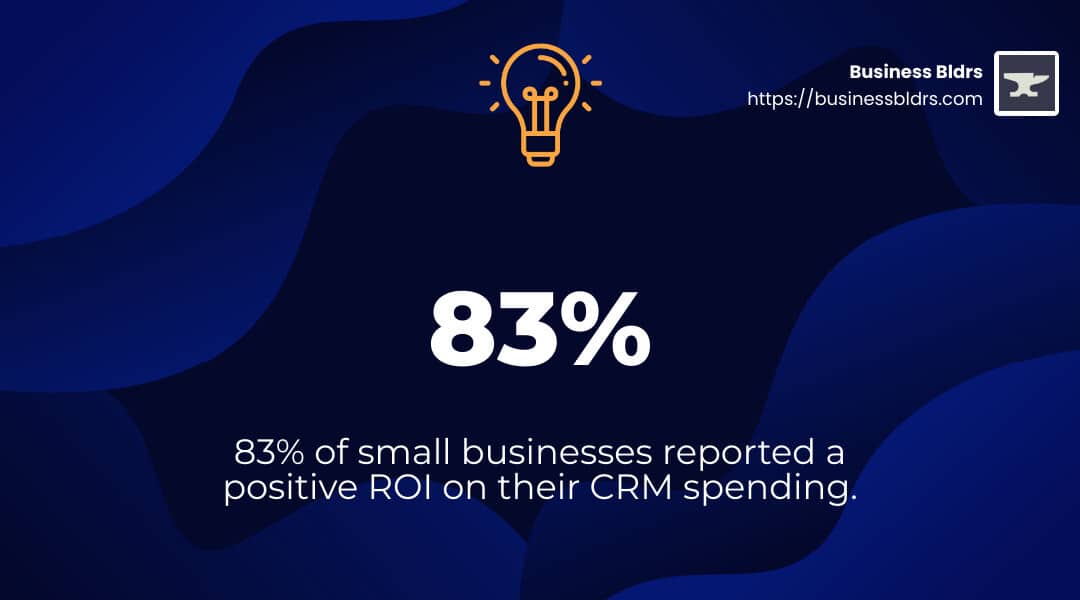
Consider this: 83% of small businesses reported a positive ROI on their CRM spending, according to a study by business.com.
My name is Jay Owen, and I have over 25 years of experience in marketing communications, web design, and business growth strategies. Through my work at Business Builders, I've seen the transformative power of a good CRM for small business.
Let's dive in to find the best CRM platforms to fit your needs perfectly.

What is a CRM for Small Business?
A CRM for small business is like a digital assistant that helps you manage all your customer interactions and data in one place. Think of it as a central hub where you can track every email, phone call, meeting, and note related to your clients. This makes it easier to stay organized and provide better service.
Definition and Purpose
A Customer Relationship Management (CRM) system for small businesses is designed to be simple and effective. Unlike complex systems used by big corporations, these CRMs focus on the essentials that small businesses need:
- Centralized Data: Keeps all your customer information in one place.
- Automation: Automates repetitive tasks to save you time.
- Analytics: Provides insights to help you make better decisions.
The goal is to help small businesses improve their customer relationships, boost sales, and streamline operations.
Key Features
Here are some key features to look for in a CRM for small business:
- Contact Management: Store and organize all customer information.
- Sales Pipeline: Track the stages of your sales process.
- Task Management: Assign and track to-dos and follow-ups.
- Email Integration: Sync emails to keep communication in one place.
- Reporting and Analytics: Generate reports to understand your performance.
- Mobile Access: Manage your CRM from anywhere with a mobile app.
- Customization: Tailor the CRM to fit your specific needs.
Real-World Impact
Imagine you're a boutique hotel manager. With a CRM, you can manage reservations, track guest preferences, and coordinate housekeeping tasks seamlessly. This leads to improved efficiency and guest satisfaction.
Or consider an e-commerce store owner. A CRM can help you analyze customer purchase history and browsing behavior. This allows you to tailor email campaigns and promotions to specific customer segments, improving your marketing efforts.
Statistics and Facts
- Positive ROI: 83% of small businesses reported a positive ROI on their CRM spending, according to a study by business.com.
- Increased Reporting Accuracy: 76% of small businesses saw an increase in reporting accuracy after implementing a CRM.

Expert Insights
Joe Karasin, a small business owner, emphasizes the importance of contact management and reporting. "Small businesses need solutions to manage their contacts effectively," he says. "Adequate contact management combined with the right reporting and insights is essential for seeing ROI on CRM."
In summary, a CRM for small business helps you stay organized, improve efficiency, and deliver better customer experiences. Up next, we'll dive into the top 10 best CRMs for small businesses, starting with monday CRM.
Top 10 Best CRMs for Small Businesses
Choosing the right CRM for your small business can make a significant impact on your efficiency and customer relationships. Below, we'll explore the top CRMs designed to meet the unique needs of small businesses, focusing on general features and benefits without specifying particular brands.
Key Features to Consider:
- Visual Interface: Helps in organizing projects and tracking customer activities effectively.
- Ease of Use: Look for CRMs with drag-and-drop interfaces for quick task management.
- Customizable Fields: Important for tailoring the CRM to fit your specific business processes.
- Comprehensive Features: A good CRM should support sales, service, and marketing needs.
- Scalability: Choose a CRM that can grow with your business, accommodating more data and users as needed.
- Mobile Access: Managing your CRM on the go is crucial for modern businesses.
- Data Analytics: Essential for gaining insights to improve business strategies.
These features are crucial for any CRM platform aiming to serve small businesses effectively. By focusing on these aspects, you can select a CRM that aligns with your business needs and enhances your operational efficiency.
Key Benefits of Using a CRM for Small Business
Using a CRM for small business is like having an all-in-one tool that boosts your efficiency and customer relationships. Here are the key benefits:
Single Source of Truth
A CRM brings all your customer information into one place. No more searching through emails or spreadsheets. Everything you need is in one dashboard.
Example: Imagine a boutique hotel manager using a CRM to manage reservations, track guest preferences, and coordinate housekeeping. This leads to improved efficiency and guest satisfaction.
Improved Data and Reporting
A CRM helps you collect and analyze data. This means better reporting and insights.
Stat: According to a study by business.com, 76% of small businesses saw an increase in reporting accuracy after implementing a CRM.
Increased Efficiency and Productivity
With a CRM, your team can get more done in less time. Workflow automation features help eliminate repetitive tasks.
Example: An e-commerce store owner uses a CRM to automate marketing campaigns based on customer behavior. This saves time and targets customers more effectively.
Lower Business Expenses
When your team is more efficient, your business expenses go down. You close deals faster and generate more revenue.
Stat: 83% of small businesses reported a positive ROI after using a CRM, according to business.com.
Better Customer Experience
A CRM ensures that your customer interactions are smooth and personalized. This leads to higher customer satisfaction and loyalty.
Example: A software company’s support team uses a CRM to manage customer inquiries. With all communication history in one place, they provide quicker and more accurate responses.
By centralizing data, improving reporting, increasing efficiency, reducing expenses, and enhancing the customer experience, a CRM for small business can make a big difference.
Next, we'll discuss the essential qualities to look for when choosing a CRM for your small business.
Essential Qualities to Look for in a Small Business CRM
Choosing the right CRM for small business is crucial. Here are the must-have qualities to look for:
Customizability
Your CRM should fit your business, not the other way around. Look for a solution that lets you customize dashboards, fields, and workflows. This ensures the CRM adapts to your unique processes.
Example: A growing online retailer can customize their CRM to track inventory levels, sales performance, and customer feedback in a way that makes sense for their operations.
Intuitive Interface
No one wants to spend weeks learning a new tool. An intuitive interface means your team can start using the CRM right away. Look for drag-and-drop features and easy navigation.
Stat: Businesses that use user-friendly CRMs see higher adoption rates and better overall productivity.
Flexibility
Your business will grow and change, and your CRM should grow with you. Look for flexible solutions that can scale, whether you need to manage more leads, update your sales pipeline, or add new functionalities.
Example: A local bakery expanding to online sales can easily adjust their CRM to handle new online orders and customer data.
Collaboration
A good CRM fosters teamwork. It should offer simple communication tools and integrate well with your existing tech stack. This ensures everyone is on the same page and can access the information they need.
Example: A marketing agency uses a CRM to coordinate between designers, copywriters, and account managers, ensuring all client projects are aligned and on track.
Cloud-Based
A cloud-based CRM allows you to access your data from anywhere. This is especially important for remote teams or businesses with multiple locations. It also ensures you have ample storage as your database grows.
Stat: Cloud-based CRMs offer better data security and lower maintenance costs, making them ideal for small businesses.
By focusing on these essential qualities—customizability, intuitive interface, flexibility, collaboration, and being cloud-based—you can find a CRM for small business that truly supports your growth and efficiency.
Next, we'll guide you on how to choose the right CRM for your small business.
How to Choose the Right CRM for Your Small Business
Selecting the perfect CRM for small business can feel overwhelming. Here's how to simplify the process:
Goals and Objectives
First, identify your goals. Are you aiming to improve sales efficiency, improve marketing campaigns, or streamline customer service? Knowing your primary objectives will help you choose a CRM that meets your specific needs.
Example: If your goal is to boost sales, look for a CRM with strong sales pipeline features and lead management tools.
Team Usage
Determine which teams will use the CRM. Will it be used by sales reps, marketers, customer service agents, or IT staff? Ensure the CRM is user-friendly for all stakeholders.
Tip: Involve your team in the selection process to get their input and buy-in.
Onboarding Resources
Look for CRMs that offer robust onboarding resources. Personalized support and training can make a big difference in adoption rates.
Stat: Users surveyed listed onboarding and ongoing customer support as crucial for successful CRM implementation.
Pain Points
Identify your business's main pain points. Are you dealing with fragmented data, poor communication, or difficulty tracking customer interactions? Choose a CRM that addresses these issues effectively.
Example: A company struggling with data fragmentation should look for a CRM with strong data integration capabilities.
Must-Have Features
Make a list of essential features. Prioritize functionalities that align with your goals and pain points. Avoid getting distracted by features that sound good but aren't necessary for your business.
Pro Tip: Focus on core features like contact management, reporting, and automation.
Scalability
Your CRM should grow with your business. Look for solutions that offer flexible pricing and features that can scale as your needs evolve.
Example: A small business with plans to expand should choose a CRM that can handle increased customer data and additional users.
Budget
Define your budget clearly. Consider not just the initial cost but also long-term expenses like customizations, training, and ongoing support.
Stat: Many CRMs offer free trials or starter plans, allowing you to test the platform before committing financially.
Compliance
Ensure the CRM complies with data protection regulations relevant to your industry. Look for features like role-based access control, data encryption, and regular backups.
Example: A healthcare provider must choose a CRM that complies with HIPAA regulations to safeguard patient data.
By focusing on these key factors—goals and objectives, team usage, onboarding resources, pain points, must-have features, scalability, budget, and compliance—you'll be well-equipped to choose the right CRM for small business that supports your growth and efficiency.
Next, we'll answer some frequently asked questions about CRM for small business.
Frequently Asked Questions about CRM for Small Business
What CRM is best for small business?
Choosing the best CRM for small business depends on your specific needs and goals. However, some CRMs consistently receive high marks for their features, ease of use, and affordability:
- Zoho CRM: Offers scalability and an AI assistant, making it a great choice for growing businesses.
- HubSpot CRM: Scalable and all-in-one, providing robust list segmentation and marketing tools.
Each of these CRMs offers unique features that can cater to various business needs.
Is there a free CRM for small businesses?
Yes, several CRMs offer free plans that can be highly beneficial for small businesses on a tight budget:
- HubSpot CRM: Provides a forever-free plan with essential features for sales, marketing, and customer service.
- Zoho CRM: Offers a free plan for up to three users, ideal for very small teams.
- Freshsales: Includes a free plan with unlimited users, making it a cost-effective choice for larger teams.
While free plans often come with limitations, they can still provide valuable tools to help manage customer relationships effectively.
How much does a CRM system cost for a small business?
The cost of a CRM for small businesses can vary widely based on features and the number of users. Here’s a general breakdown:
- Monthly Subscription: Costs typically range from $10 to $100 per user per month.
- Free Plans: Some CRMs offer free plans with basic features.
- Trial Periods: Most CRMs offer a free trial period (usually 14-30 days) to test out the features before committing financially.
Always consider long-term costs, including potential add-ons, customizations, and training expenses, to get a full picture of the investment required.
By understanding these key points, you can make an informed decision about which CRM is the best fit for your small business needs.
Conclusion
Choosing the right CRM for small business can be a game-changer. It streamlines your processes, improves customer relationships, and boosts your overall efficiency. Whether you're a family-owned bakery or a growing tech startup, a good CRM can help you manage your leads, contacts, and customer interactions effectively.
Why Business Bldrs?
At Business Bldrs, we understand the unique challenges small businesses face. Our goal is to help you steer these challenges with the right tools and strategies. We recommend exploring a variety of CRM options to find one that offers scalability and comprehensive features suitable for your business needs.
Final Thoughts
Implementing a CRM might seem daunting, but the benefits far outweigh the initial effort. From improving customer retention to increasing conversion rates, the right CRM can transform your business operations. Take the time to assess your needs, involve your team in the decision-making process, and choose a CRM that aligns with your business goals. And remember, we're here to help. If you need guidance or a free website review, reach out to us at Business Bldrs.
By following these steps, you'll be well on your way to choosing the best CRM for your small business.
Ready to Grow Your Business?
Put these insights into action with our expert team. We help businesses like yours achieve measurable results.